Back to bots






disc.http
Show off the awesome bot that you and your users own on your profile! Let everyone know what you're made of!
This is an HTTP-only bot and will not show as online
disc.http example
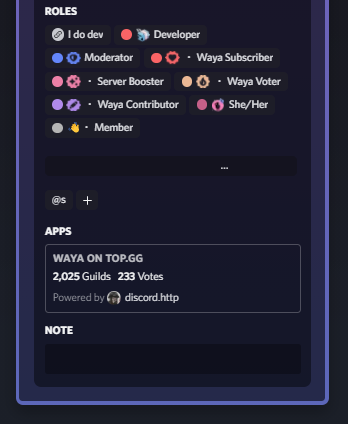
How to setup disc.http linked role
Note that this is a one-time setup
- Invite the bot to your Discord server.
- Go to your server's role settings and create a new role with any name you prefer.
- Click on the "Links" option, then click on "Add requirement" and select "discord.http" from the list.
- Save all the changes and leave the settings.
- 🎉 Done with setup!
Connect to your profile
Note that every user has to follow this
- Click on the server name.
- Click on "Linked Roles".
- Click on the tab with the same name as the role you created earlier.
- Go through the oAuth2 process.
- Once done, the stats of the biggest bot they own will be displayed on their profile.
⚠️ Note: Your bot has to be submitted on a supported bot listing site
Similar Bots
UnifyFootball
Track everything in football, build teams and compete, predict game results, play mini-games and win big—All directly on your Discord!
botfootballstatsfifa+1
0 votes2.9K servers
ServerStats
Shows off your member, channel, role, emoji, boost, and goal count in your server through the use of channels (also fully customizable).
informationloggingsocialstatistics+1
0 votes3.7M servers
LeagueHelper
League of Legends stats, builds and match history — right in your server.
leagueleagueoflegendsleaguestatisticsstatistics
0 votes13 servers